
Display Clusters of Drugs on Grid Maps of Drug-Drug Similarity
Quick Start Instructions
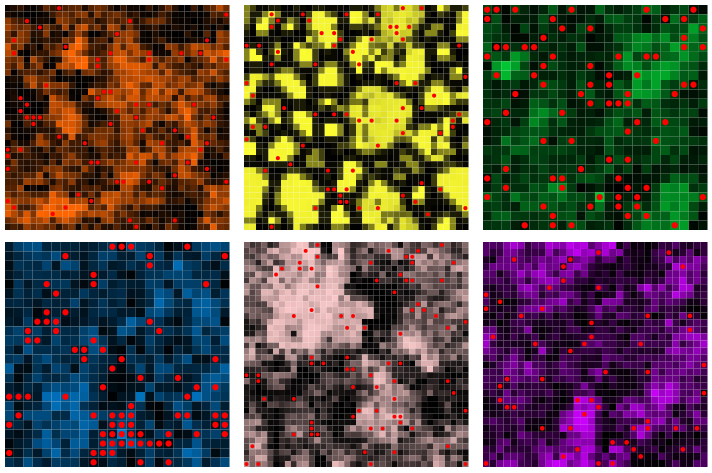
In this section we visualize the six different drug-drug networks on grids where the drugs are the squares on the grid arranged based on their similarity. The brighter the square the more similarity the drug has with its neighbors. Selecting different properties for drugs, or a set of drugs, you can identify if the drugs cluster in more than one grid. This means that the property and drug-drug network is predictive of other properties. For example, structural properties are predictive of side-effect or indications, or molecular signature in cells is predictive of side-effects.
In the space below enter a set of drugs or select a property using the Browse function and press add. This will add drugs to the selection list on the bottom left. To delete drugs from the selection list either press the red x, or to clear the entire list press Delete All. Once you are satisfied with the selection list press Map to plot the drugs on precomputed similarity grids as shown in the example above.